
机器视觉整合图像处理与机械控制技术,能提升工业生产灵活性与自动化水平,国产自主可控开源硬件飞腾派凭借强劲算力、良好兼容性与可扩展性,可高效支撑这类视觉应用的开发与部署。
飞腾派识别数字
项目准备
硬件规格:飞腾派
操作系统:飞腾OS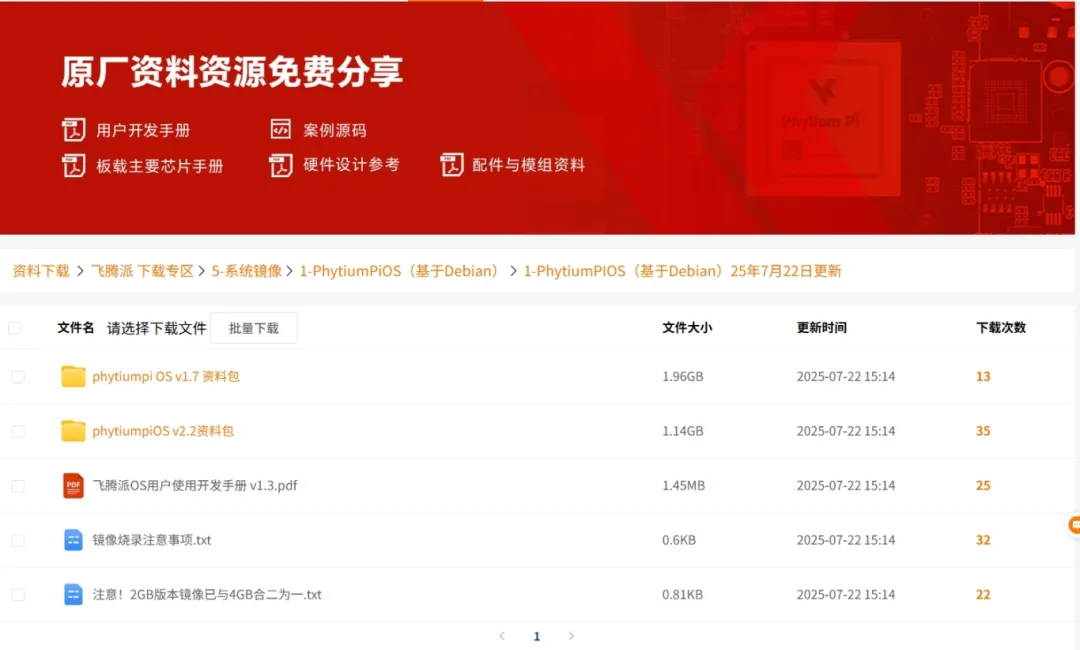 (飞腾派OS系统下载:https://www.iceasy.com/cloud/Phytium?pid=1877647545995448322)
具体操作:
一、安装Tensorflow lite
安装pip
LeNet = keras.models.Sequential([keras.layers.Conv2D(input_shape=(32, 32, 1), filters=6, kernel_size=(3, 3), activation="relu"),keras.layers.AveragePooling2D(),keras.layers.Conv2D(filters=16, kernel_size=(3, 3), activation="relu"),keras.layers.AveragePooling2D(),keras.layers.Flatten(),keras.layers.Dense(units=120, activation="relu"),keras.layers.Dense(units=84, activation="relu"),keras.layers.Dense(units=10, activation="softmax"),])
安装tflite-runtime
def read_mnist(images_path: str, labels_path: str):with gzip.open(labels_path, "rb") as labelsFile:labels = np.frombuffer(labelsFile.read(), dtype=np.uint8, offset=8)with gzip.open(images_path, "rb") as imagesFile:length = len(labels)# Load flat 28x28 px images (784 px), and convert them to 28x28 pxfeatures = (np.frombuffer(imagesFile.read(), dtype=np.uint8, offset=16).reshape(length, 784).reshape(length, 28, 28, 1))# LeNet architecture accepts a 32x32 pixel images as input,# mnist data is 28x28 pixels. We simply pad the images with zeros to overcomefeatures = np.pad(features, ((0, 0), (2, 2), (2, 2), (0, 0)), "constant")return features, labelsx_train, y_train = read_mnist("train-images-idx3-ubyte.gz", "train-labels-idx1-ubyte.gz")x_test, y_test = read_mnist("t10k-images-idx3-ubyte.gz", "t10k-labels-idx1-ubyte.gz")x_train, x_test = x_train / 255.0, x_test / 255.0
二、训练LeNet模型
LeNet模型由Yann LeCun在1998年设计并提出的,是一种非常经典的卷积神经网络模型,先使用Tensorflow API实现这个模型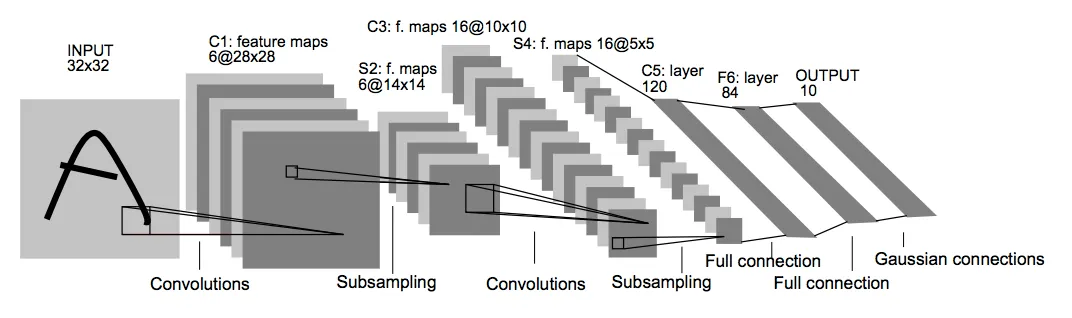
loss_fn = tf.keras.losses.SparseCategoricalCrossentropy(from_logits=False)LeNet.compile(optimizer='adam',loss=loss_fn,metrics=['accuracy'])LeNet.fit(x_train, y_train, epochs=5)
载入数据
def read_mnist(images_path: str, labels_path: str):with gzip.open(labels_path, "rb") as labelsFile:labels = np.frombuffer(labelsFile.read(), dtype=np.uint8, offset=8)with gzip.open(images_path, "rb") as imagesFile:length = len(labels)# Load flat 28x28 px images (784 px), and convert them to 28x28 pxfeatures = (np.frombuffer(imagesFile.read(), dtype=np.uint8, offset=16).reshape(length, 784).reshape(length, 28, 28, 1))# LeNet architecture accepts a 32x32 pixel images as input,# mnist data is 28x28 pixels. We simply pad the images with zeros to overcomefeatures = np.pad(features, ((0, 0), (2, 2), (2, 2), (0, 0)), "constant")return features, labelsx_train, y_train = read_mnist("train-images-idx3-ubyte.gz", "train-labels-idx1-ubyte.gz")x_test, y_test = read_mnist("t10k-images-idx3-ubyte.gz", "t10k-labels-idx1-ubyte.gz")x_train, x_test = x_train / 255.0, x_test / 255.0
设置损失函数以及优化器开始训练
loss_fn = tf.keras.losses.SparseCategoricalCrossentropy(from_logits=False)LeNet.compile(optimizer='adam',loss=loss_fn,metrics=['accuracy'])LeNet.fit(x_train, y_train, epochs=5)
评估模型
LeNet.evaluate(x_test, y_test, verbose=2)
1875/1875 [==============================] - 9s 3ms/step - loss: 0.2255 - accuracy: 0.9328Epoch 2/51875/1875 [==============================] - 6s 3ms/step - loss: 0.0749 - accuracy: 0.9767Epoch 3/51875/1875 [==============================] - 6s 3ms/step - loss: 0.0529 - accuracy: 0.9836Epoch 4/51875/1875 [==============================] - 5s 3ms/step - loss: 0.0408 - accuracy: 0.9869Epoch 5/51875/1875 [==============================] - 5s 3ms/step - loss: 0.0329 - accuracy: 0.9895313/313 - 1s - loss: 0.0341 - accuracy: 0.9897 - 628ms/epoch - 2ms/step
将模型导出为TFLite格式
# convert modelconverter = tf.lite.TFLiteConverter.from_keras_model(LeNet)tflite_model = converter.convert()# Save the model.with open('lenet5.tflite', 'wb') as f:f.write(tflite_model)
在飞腾派部署LeNet模型
首先设置track装饰器,让我们了解飞腾派的推理速度
import timeimport logging as logimport syslog.basicConfig(format='[ %(levelname)s ] %(message)s', level=log.INFO, stream=sys.stdout)def timer(label:str, ms_:bool=True):def out_wrapper(func):def wrapper(*args, **kwargs):st = time.perf_counter()ret = func(*args, **kwargs)measure = time.perf_counter() - stif ms_:measure *= 1e3tag = "ms" if ms_ else "s"log.info(f"{label} elapsed {(measure):.3f} {tag}.")return retreturn wrapperreturn out_wrapper
推理函数
@timer("infer")def infer(model:str, input_blob:np.array) -> int:interpreter = tflite.Interpreter(model_path=model, num_threads=4)interpreter.allocate_tensors()input_details = interpreter.get_input_details()# Get input and output tensors.output_details = interpreter.get_output_details()interpreter.set_tensor(input_details[0]['index'], input_blob)interpreter.invoke()return np.argmax(interpreter.get_tensor(output_details[0]['index']))
运行结果
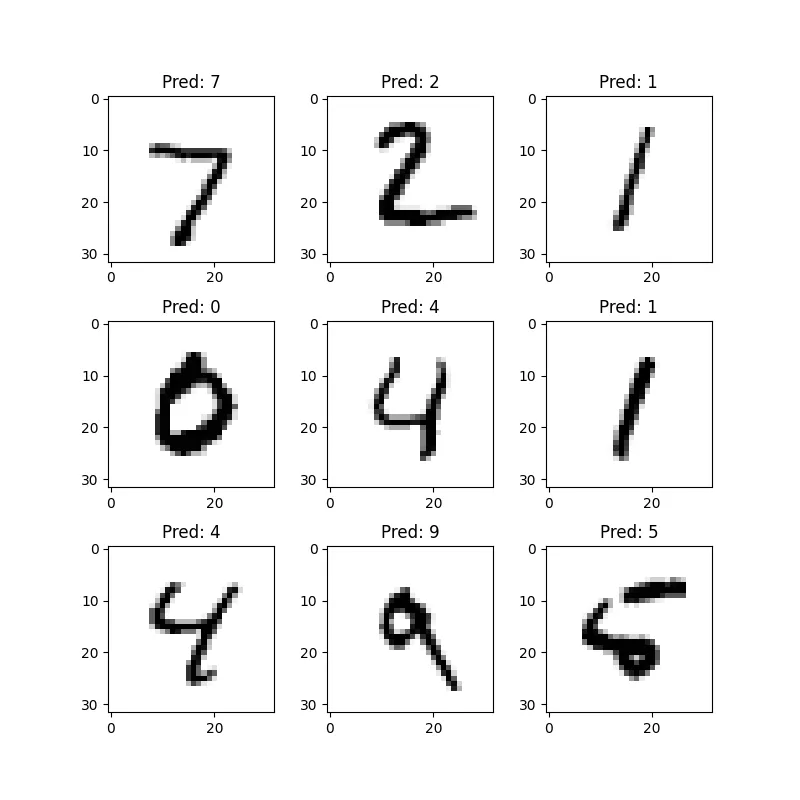
数字识别全部正确!而且识别速度特别快,轻松满足各类应用需求!
飞腾派免费试用!轻松带走定制文创礼品!
➡️点击查看活动详情
(内附测评分享小tips)